
Food and beverage is one of the fastest-growing segments in e-commerce, and for good reason. Consumers increasingly want to know what to do with the products they buy, not just that they exist. Recipe content sits at the perfect intersection of inspiration and intent: a shopper who lands on a beautifully formatted risotto recipe featuring your arborio rice is already primed to buy. According to data from Google's own search trends, "recipe" queries consistently generate some of the highest-volume, highest-intent searches on the entire internet. For Shopify merchants in food, beverage, and specialty ingredients, this is a massive untapped opportunity.
The problem? Shopify's native blogging functionality is, to put it charitably, bare-bones. You can write a blog post. You can embed an image. But structured recipe content, with schema markup, shoppable ingredients, nutrition labels, print functionality, and cook mode, requires purpose-built tooling. That's where recipe apps come in.
We analyzed 7 recipe apps from the Shopify App Store, examining 147 total reviews, pricing structures, feature sets, and compatibility data as of March 2026. Here's what we found: the category average is just 3.0/5 stars, no app has earned Shopify's "Built for Shopify" certification, 43% offer a free plan, and pricing runs from free to $153/month. This isn't a mature, crowded category. It's one where the right choice matters enormously and the wrong choice wastes months of content investment.
What Is a Shopify Recipe App?
A Shopify recipe app is a third-party tool that extends your store's content capabilities beyond basic blog posts. At their core, these apps let you create structured recipe content, with ingredients, instructions, cook times, serving sizes, and nutrition information, that renders beautifully on any device and communicates essential metadata to search engines like Google.
The integration with Shopify varies by app but typically works through one of two mechanisms: embedding a recipe card directly into a blog post or page using a code snippet or drag-and-drop block, or generating dedicated recipe pages within your storefront. The more sophisticated apps layer in commerce functionality, allowing you to link individual ingredients directly to your product listings so visitors can add items to cart from within the recipe itself. This transforms passive content into an active sales funnel.
What Shopify's native functionality can't do is the critical part: structured schema markup. Google's Recipe schema (a type of JSON-LD structured data) tells search engines that your content is a recipe and unlocks eligibility for rich snippets, those visually enhanced search results showing a photo, star ratings, cook time, and calorie count directly in Google's results pages. Without schema markup, your recipes compete as plain text against food blogs that have been doing this for a decade. With it, you're playing an entirely different game. Third-party recipe apps handle this automatically, which is the single most important reason to use one.
Key Features to Look for in a Shopify Recipe App
When evaluating recipe apps, not all features are created equal. Here are the eight capabilities that separate a genuinely useful tool from a dressed-up text editor.
1. Automatic Recipe Schema Markup (SEO Rich Snippets)
This is non-negotiable. Schema markup is what enables your recipes to appear in Google's rich results carousel, recipe carousels, and featured snippets. Without it, you're essentially invisible in food-specific search. Every serious recipe app should generate valid JSON-LD schema automatically. You shouldn't have to write a line of code.
2. Shoppable Ingredients (Add-to-Cart Integration)
The ability to link ingredients directly to your Shopify product listings, or better yet, let customers add those products to cart directly from the recipe, is what converts recipe readers into buyers. This is a commerce feature, not a content feature, and it's the primary ROI driver for food brands. Based on the data, this feature is offered by Recipe Kit, BentoSMB, Recipe Stack, Smart Recipes (Business tier), and Recipe Junction.
3. Mobile-Optimized Display
A substantial portion of recipe browsing happens on phones, often while someone is standing in their kitchen. Recipe cards need to be legible, scrollable, and functional on mobile without degradation. Look for apps that explicitly advertise mobile optimization.
4. Print Functionality
Shoppers still print recipes. A dedicated print view that strips navigation, ads, and decorative elements into a clean, ink-friendly format is a basic user experience expectation. Apps that don't offer this will generate support tickets and frustration.
5. Cook Mode / Reading Mode
A growing feature in the category. Cook mode keeps the screen awake and presents instructions one step at a time, reducing the friction of cooking from a phone. Smart Recipes is the only app in this comparison that specifically calls this out, which makes it a potential differentiator.
6. Nutrition Information and Labels
For health-focused brands, supplement companies, and diet-specific food businesses, being able to display nutrition panels is essential, both for compliance purposes and to serve customer expectations. BentoSMB explicitly supports nutrition labels; others handle nutrition fields to varying degrees.
7. Recipe Categorization and Filtering
If you're building a library of more than a handful of recipes, you need taxonomy: cuisine types, dietary filters (vegan, gluten-free, keto), meal categories. Without this, your recipe archive becomes unusable at scale. Recipe Stack, Smart Recipes, and Recipe Junction all offer categorization and filtering.
8. Analytics / Performance Tracking
Recipe Kit is the only app in this group that explicitly includes a built-in analytics dashboard. Knowing which recipes drive traffic, clicks, and conversions is essential if you're investing in content as a growth channel. For others, you'd need to rely on Google Analytics.
Quick Comparison Table
| App | Rating | Reviews | Starting Price | Best For | Standout Feature |
|---|---|---|---|---|---|
| Recipe Kit | 4.7/5 | 80 | $19/month | Established food brands & bloggers | Built-in analytics + shoppable recipes |
| Craftybase Inventory + Sync | 4.5/5 | 30 | From $24/month | Small-batch makers & artisans | Multi-channel inventory + production tracking |
| Recipe Junction | 4.4/5 | 12 | Free | Multilingual & AI-powered recipe creation | AI recipe generation + multilingual support |
| Recipe Stack | 3.9/5 | 16 | $14/month | Brands wanting a dedicated recipe hub | Recipe grid with filters + add-to-cart |
| BentoSMB Recipes | 3.4/5 | 9 | Free (up to 5 recipes) | Merchants just getting started | Nutrition labels + Pinterest Rich Pins |
| Smart Recipes | 0.0/5 | 0 | $14.99/month | Feature-hunters willing to bet on a new app | Cook mode + 500+ cuisine categories |
| Create With Cura | 0.0/5 | 0 | Free | Brands launching new food products | Recipe sourcing + manufacturing connections |
Feature Comparison Matrix
| Feature | Recipe Kit | BentoSMB | Recipe Stack | Smart Recipes | Recipe Junction | Craftybase | Create With Cura |
|---|---|---|---|---|---|---|---|
| SEO / Schema Markup | Yes | Yes | Yes | Yes | Yes | No | No |
| Shoppable Ingredients | Yes | Yes | Yes | Yes (Business) | Yes | No | No |
| Mobile Optimized | Yes | Yes | Yes | Yes | Yes | Yes | No |
| Print Functionality | Yes | Yes | Yes | Yes | Yes | No | No |
| Cook Mode | No | No | No | Yes | No | No | No |
| Nutrition Information | No | Yes | No | Yes | No | No | No |
| Recipe Filtering / Categories | No | No | Yes | Yes | Yes | No | No |
| Built-in Analytics | Yes | No | No | No | No | Yes | No |
| AI Recipe Generation | No | No | No | No | Yes | No | No |
| Multilingual Support | No | No | No | No | Yes | No | No |
| Inventory / Production Tracking | No | No | No | No | No | Yes | No |
| Free Plan Available | No | Yes | No | No | Yes | No | Yes |
Key takeaways from the matrix: SEO/schema markup and shoppable ingredients are now table stakes. Five of seven apps offer both. Cook mode is offered by just one app (Smart Recipes), making it a genuine differentiator if that feature matters to you. AI recipe generation and multilingual support appear only in Recipe Junction, which explains its strong merchant praise despite fewer reviews than Recipe Kit. Built-in analytics is the rarest feature across the category, available only in Recipe Kit and Craftybase (though Craftybase's analytics are production-focused, not content-focused). If you're treating recipe content as a growth channel and want data to back your decisions, Recipe Kit is currently the only purpose-built recipe app offering this.
In-Depth App Reviews
Recipe Kit - Blog Post Recipes
Best for: Established food brands and content-driven merchants who want shoppable recipes with real analytics
Developed by Bolle Apps, Recipe Kit is the category leader by every metric that matters: highest rating (4.7/5), most reviews (80), and a review distribution that's almost cartoonishly positive. 75 five-star reviews against zero one-star reviews. This isn't a squeaky-new app with a small, enthusiastic early adopter base; it's a tool that merchants have been using for years and keep recommending to others.

Pricing: From $19/month for all features including shoppable recipes, SEO schema, analytics dashboard, custom blog layouts, and templates.
Key Features
- Shoppable Recipe Cards: Ingredients link directly to your Shopify products, allowing add-to-cart from within the recipe content. This is the core commerce engine of the app.
- Automatic Recipe Schema: JSON-LD markup is generated automatically, giving recipes eligibility for Google rich results without any developer involvement.
- Built-in Analytics Dashboard: The only purpose-built recipe app in this comparison with native analytics. You can track which recipes are performing, which matters enormously if you're investing in content as a growth lever.
- Custom Blog Layouts: Goes beyond basic recipe cards to let you control how recipe content integrates with your broader blog aesthetic.
- Checkout Compatibility: One of only two apps in this comparison that integrates with the Shopify checkout flow, adding a layer of commerce functionality the others lack.
Pros
- Highest rating (4.7/5) and most reviews (80) in the category. The merchant consensus is unambiguous.
- Long-term retention is evident: merchants like All The Bitter ("almost 3 years, crucial component of our website") and asiastreetfood (migrated 400+ recipes) are power users who've committed significant content investment to the platform.
- Support quality is consistently praised across reviews. As Fire & Smoke Society noted: "Still amazing, flexible, and the best support I have found in the Shopify universe."
- Built-in analytics is unique in this space. No other recipe-focused app offers it.
Cons
- At $19/month, it's mid-range but the only paid-only option without a free tier to test. For a merchant with five recipes, there's no risk-free evaluation period.
- Character limits on certain fields (recipe author, image alt text, YouTube link) are a documented friction point.
- No multilingual or AI generation features, which may matter for global brands or high-volume content operations.
- Single pricing tier means you pay full price regardless of recipe volume.
Verdict: Recipe Kit is the clear category leader and the default recommendation for any serious food or beverage merchant on Shopify. The combination of analytics, shoppable ingredients, checkout integration, and three-plus years of positive merchant outcomes is simply not matched by any other app in this comparison. Skip it only if your budget is zero or if AI-generated multilingual recipes are a hard requirement.
Craftybase Inventory + Sync
Best for: Small-batch makers, artisans, and handmade product businesses that need production-level recipe tracking, not content recipe cards
Craftybase is something of a category outlier. While the other apps in this roundup focus on content recipes, the kind you publish on a blog to sell food products, Craftybase is a full production management system that uses "recipes" in the manufacturing sense: bills of materials, batch tracking, ingredient costs, and COGS calculations. It's listed in the recipe apps category but serves a fundamentally different use case.

Pricing: From $24/month for raw material tracking, bills of materials, batch/lot tracking, Shopify stock sync, and COGS calculation.
Key Features
- Bills of Materials (Production Recipes): Build multi-stage production workflows that map exactly what raw materials go into each product batch.
- Real-Time Stock Sync: Automatically pushes updated inventory numbers to your Shopify storefront based on actual production, not manual entry.
- Batch and Lot Tracking: Manage expiry dates, lot numbers, and production schedules. Critical for food and cosmetic compliance.
- COGS Calculation: Built-in pricing guidance based on real production costs, which is genuinely valuable for makers who've been guessing at margins.
- Multi-Channel Compatibility: Connects to Shopify, Etsy, Faire, Wix, Amazon, Square, and WooCommerce. The broadest platform compatibility of any app in this comparison.
Pros
- 4.5/5 rating across 30 reviews. Strong, meaningful sample size for this category.
- Addresses a genuinely underserved problem: most Shopify apps handle selling, but few handle making. For soap makers, candle companies, small-batch food producers, and similar businesses, Craftybase fills a critical gap.
- Merchants show long-term loyalty: one reviewer has been using it for 10 years.
- Multi-channel sync is unmatched in this comparison.
Cons
- At $24+/month, it's the most expensive app in this roundup, and the "from" pricing suggests higher tiers exist.
- Shopify integration has documented friction: one merchant gave a 3-star review citing integration issues with historical data and inaccurate stock numbers.
- Setup has a steep learning curve.
- If you need content recipes (blog posts, shoppable ingredient cards), this is the wrong app entirely. These are production recipes only.
Verdict: Craftybase is the right tool for a specific merchant profile: a maker who produces physical products from raw ingredients and needs manufacturing-level tracking. If that's you, it's probably the most powerful tool in this roundup for your actual needs. If you're a food brand that buys finished products and wants to publish recipes to drive sales, look elsewhere.
Recipe Junction - AI Blog Post
Best for: Multilingual stores, international brands, and merchants who want AI-generated recipe content at no cost
Built by WebCreta Technologies Pvt Ltd, Recipe Junction is the most technologically ambitious app in this category. Its headline features, AI recipe generation and multilingual translation without third-party tools, are genuinely differentiated. A 4.4/5 rating across 12 reviews is solid, though the presence of two one-star reviews (including one alleging harassment by the developer team) warrants attention.

Pricing: Free. All features included: AI generation, multilingual, add-to-cart, SEO, social sharing.
Key Features
- AI-Powered Recipe Generation: Generate recipes based on your products automatically. For merchants with large product catalogs who want to build a recipe library quickly, this is a meaningful time saver.
- Multilingual Recipe Translation: Convert recipes into multiple languages without needing a separate translation app.
- One-Click Add-to-Cart: Customers can purchase ingredients directly from within recipes.
- SEO Recipe Snippets: Standard schema markup for Google visibility.
- Ingredient Images: Add photos to individual ingredients and toppings. A visual richness feature that other apps don't explicitly offer.
Pros
- Completely free. Every listed feature is available at no cost, which is remarkable given the feature breadth.
- AI generation is a genuine category differentiator and the only app in this comparison to offer it.
- Multilingual support makes it the only viable option for merchants serving non-English markets from a single Shopify store.
- Support praised consistently: "They helped us no end to achieve our goal and went above and beyond." (2Saucy Ltd, UK).
Cons
- Review polarization: two one-star ratings against ten five-stars. At least one negative review reports recipes stopped displaying, which suggests potential reliability issues worth investigating.
- Video linking feature is documented as buggy in merchant complaints.
- 12 reviews total is a thin data set. The rating could shift significantly with a few more negative experiences.
- No pricing tiers means there's no clear business model visible, which raises questions about long-term app sustainability.
Verdict: Recipe Junction's free pricing and AI/multilingual features make it genuinely compelling, especially for international food brands that need recipe content at scale without ongoing software costs. The small review sample and lack of a visible business model mean merchants should do their own due diligence, test thoroughly with a limited recipe set, and read through the app's reviews carefully before committing significant content investment to the platform.
Recipe Stack - Sell with Recipes
Best for: Brands that want a standalone, filterable recipe hub rather than embedding recipes in blog posts
Recipe Stack takes a different structural approach than most apps in this category. Rather than embedding recipe cards into existing blog posts, it creates a dedicated recipe section within your store, a browsable, filterable grid of recipes that functions more like a mini recipe website. For brands with larger recipe libraries or those treating recipe content as a core marketing asset, this architecture has real advantages.
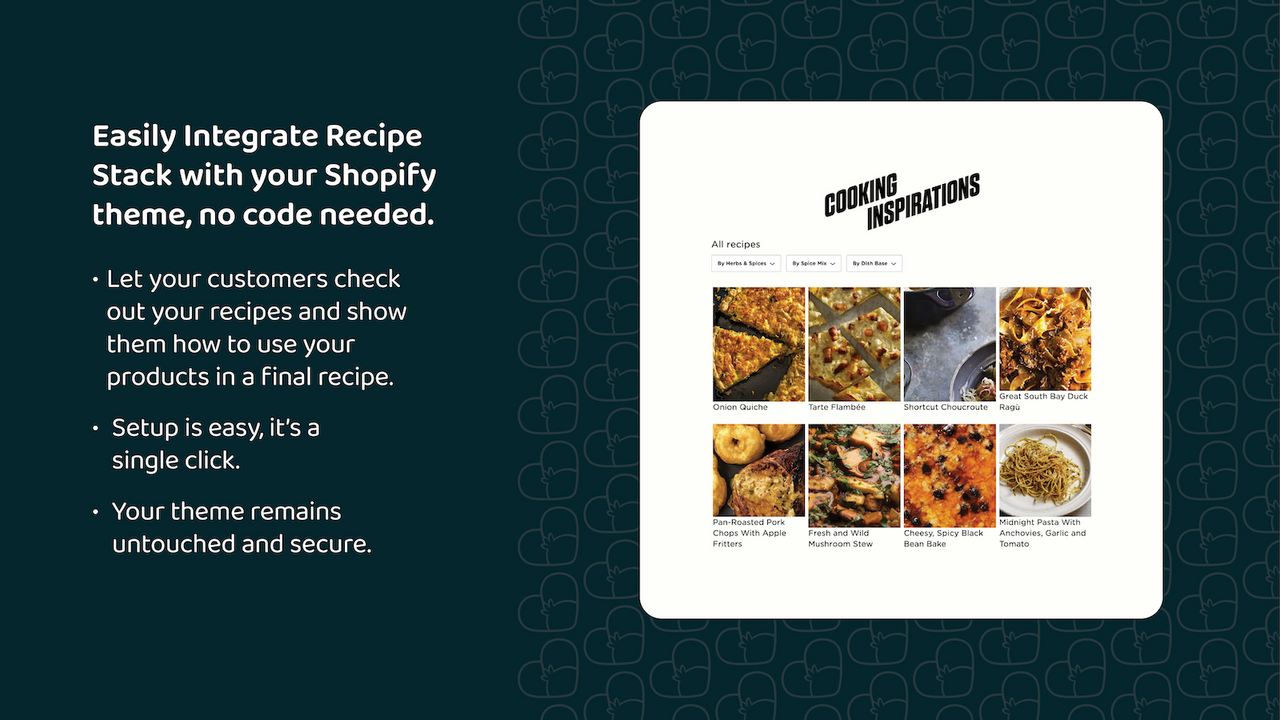
Pricing: $14/month for up to 50 recipes, 1 recipe author, add-to-cart, recipe widgets, recipe filters, and automatic recipe grid.
Key Features
- Recipe Grid with Custom Filters: Browse recipes by cuisine, diet, or custom categories. A browsability feature that blog-embedded recipes can't match.
- Add-to-Cart Button on Recipes: Ingredient-level commerce integration lets visitors buy directly from recipes.
- Embeddable Recipe Widgets: Recipes can be embedded elsewhere on the site, not just on dedicated recipe pages.
- Unlimited Pictures and Videos: Rich media support within individual recipe pages.
- Automatic JSON-LD Schema: Standard SEO optimization built in.
Pros
- $14/month is the lowest paid starting price in the category, making it competitive on value.
- The filterable recipe grid architecture is genuinely differentiated. No other app in this comparison offers a comparable standalone recipe hub with custom taxonomy filters.
- Developer responsiveness is a consistent theme: "The developer is very responsive." (Mesa de Vida, US).
Cons
- 3.9/5 across 16 reviews, with three one-star reviews. A higher proportion of negative outcomes than Recipe Kit.
- The three 1-star reviews all relate to functionality bugs.
- Solo plan caps at 50 recipes and one author. Merchants who scale will hit these limits.
- No built-in analytics, no multilingual support, no AI generation.
Verdict: Recipe Stack's dedicated recipe grid approach is genuinely useful for brands treating recipe content as a serious content marketing channel. But the documented functionality bugs are concerning. Best for food brands building a structured recipe library who want browse-and-filter functionality.
BentoSMB Recipes
Best for: New merchants who want a free way to test recipe content before committing
BentoSMB Recipes is the older entrant in this category. Several of its reviews date back to 2020 and 2021, which means it lacks the momentum and recent iteration of newer competitors. That said, it holds a unique position: the only app in this comparison with a genuinely functional free plan that includes SEO and Pinterest Rich Pin optimization.
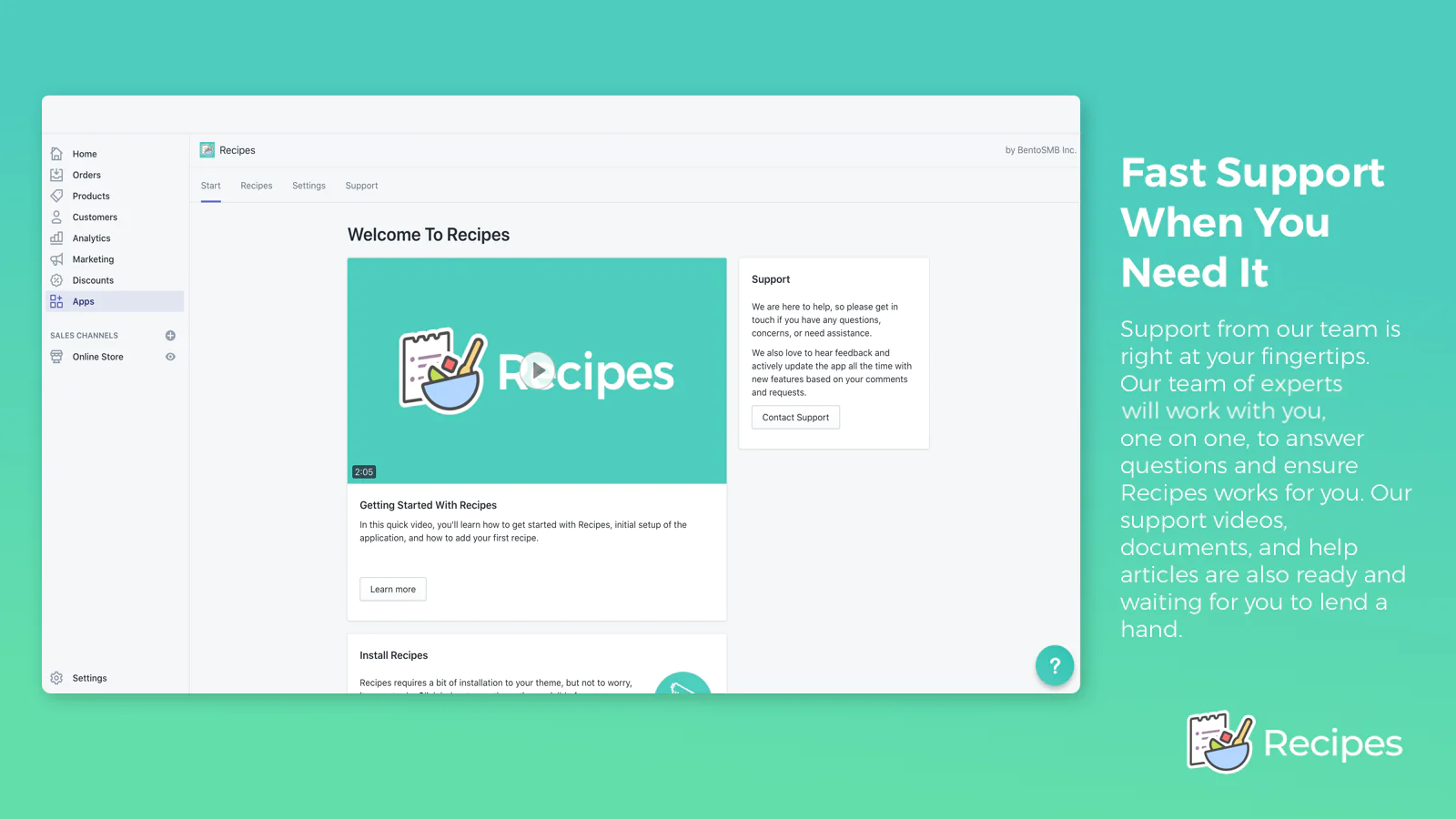
Pricing: Free for up to 5 recipes with product/collection linking, automatic SEO + Rich Pins, and free expert styling. $15/month for unlimited recipes.
Key Features
- Pinterest Rich Pins Optimization: Explicitly supports Pinterest Rich Pins in addition to Google schema. Valuable for food brands with visual audiences on Pinterest.
- Nutrition Information and Labels: One of only two apps in this comparison to display structured nutrition data.
- Product and Collection Linking: Ingredients can link to specific products or entire collections.
- Free Expert Styling: BentoSMB offers custom styling support on both plans, which is an unusual concierge benefit.
Pros
- Free plan with real functionality (5 recipes, SEO, Pinterest optimization) is the lowest-friction entry point in the category.
- Pinterest Rich Pins support is a differentiator. No other app explicitly calls this out.
- Nutrition label support is shared only with Smart Recipes among purpose-built recipe content apps.
Cons
- 3.4/5 across only 9 reviews. The lowest rating of any app with reviews in this comparison.
- The most recent review (December 2025) is a 2-star complaint about glitching and uninstalling unexpectedly, which raises concerns about app stability on current Shopify versions.
- Most positive reviews are from 2020-2022, suggesting the app may not have kept pace with Shopify's platform evolution.
Verdict: BentoSMB made sense in 2020. In 2026, the concern is whether it's being actively maintained. Best for merchants who need Pinterest Rich Pins optimization or nutrition labels and want to test with zero cost. If you're building anything beyond a few recipes, the data suggests Recipe Kit or Recipe Junction are safer long-term bets.
Smart Recipes
Best for: Feature-hunters who want cook mode, 500+ cuisine categories, and tiered pricing, and are willing to be an early adopter
Smart Recipes, developed by Good Times In Particular, is the newest app in this roundup with exactly zero reviews at the time of data collection. That's not automatically a dealbreaker, every great app starts at zero, but it does mean we have no merchant evidence to draw from. What we can evaluate is the feature set, which is genuinely impressive on paper.

Pricing: Starter at $14.99/month (unlimited recipes, URL ingredient linking, SEO, ratings, cook mode). Business at $19.99/month (adds Shopify product linking, custom themes, AI assistant). Starter Yearly at $153/year (saves ~$27/year vs monthly).
Key Features
- Cook Mode: The only app in this comparison offering cook mode. A screen-awake, step-by-step presentation mode designed for active cooking.
- Recipe Ratings: Allow visitors to rate recipes, adding social proof and engagement to your content.
- 500+ Cuisine and Diet Categories: The most extensive categorization system in this comparison by a significant margin.
- Recipe Assistant (AI, Business tier): AI-powered recipe data generation, available on the $19.99/month Business plan.
- Tiered Pricing: The most structured pricing in the category, allowing merchants to start lean and upgrade as needs grow.
Pros
- Cook mode is a genuine category-exclusive feature with real user experience value.
- Recipe ratings add a social proof layer that no other recipe content app in this comparison offers.
- Tiered pricing is the most merchant-friendly structure in the category.
Cons
- Zero reviews. No merchant validation whatsoever. Every claim is unverified.
- No free plan or free trial mentioned in the app listing data.
- At $14.99-$19.99/month with no reviews, merchants are paying to beta test an unproven tool.
- Recipe Assistant (AI) is locked behind the Business tier, unlike Recipe Junction where AI is free.
Verdict: Smart Recipes has the most interesting feature set of any newer app in this category, and its tiered pricing structure is more merchant-considerate than most. But recommending a $14.99+/month app with zero reviews is difficult in good conscience. Check back in six months when the review picture is clearer.
Create With Cura
Best for: Entrepreneurs looking to launch their own food or beverage brand from scratch with vendor-supplied recipe formulations
Create With Cura is the most unusual entry in this roundup. It's not a recipe content tool at all. It's a white-label food product launch platform that provides recipe formulations described by the vendor as developed to meet FDA requirements, connects merchants with manufacturers and suppliers, and handles fulfillment infrastructure. Think of it less as a Shopify app and more as a product development service delivered through a Shopify-connected platform.

Pricing: Free. Recipe access, supplier connections, manufacturing management, and roadmap tools.
Pros
- Free to access, which lowers the barrier to exploring a completely new product line.
- Addresses a problem no other app in this comparison touches: how to actually create and launch a food product.
- Supplier management and formulation access are genuinely valuable for first-time CPG founders.
Cons
- Zero reviews. Completely unvalidated.
- The scope is entirely different from the other apps in this comparison.
- No recipe content features: no schema markup, no shoppable ingredients for existing products, no blog integration.
Verdict: Create With Cura is solving a genuinely interesting problem, but it's in the wrong category for most merchants reading this article. It's not a recipe content app. It's a CPG product development service. Best for entrepreneurs who don't yet have a food product but want to launch one under their own brand.
Pricing Landscape Analysis
| App | Free Plan | Lowest Paid | Mid Tier | Highest Tier |
|---|---|---|---|---|
| Recipe Kit | No | From $19/month | - | - |
| BentoSMB Recipes | Yes | $15/month | - | - |
| Recipe Stack | No | $14/month | - | - |
| Smart Recipes | No | $14.99/month | $19.99/month | $153/year |
| Recipe Junction | Yes | - | - | - |
| Craftybase Inventory + Sync | No | From $24/month | - | - |
| Create With Cura | Yes | - | - | - |
The entry point for paid recipe apps clusters tightly between $14 and $19/month, which means the price difference between apps isn't a meaningful decision factor. At $14/month for Recipe Stack versus $19/month for Recipe Kit, the $5 difference is noise. What matters is feature fit and reliability.
The free plans deserve scrutiny. Recipe Junction offers every feature for free, which is either a loss-leader strategy or suggests the business model is elsewhere. BentoSMB's free plan caps at 5 recipes, which is genuinely useful for validation but not for scale.
The real question for most merchants: is $19/month (Recipe Kit) worth it versus free (Recipe Junction)? Based on the data, 80 reviews at 4.7/5, built-in analytics, checkout integration, multi-year merchant retention, Recipe Kit is charging for validated, reliable performance. If your recipe content strategy is a core growth channel, the $19/month insurance premium for a proven tool is probably worth it. If you're testing whether recipe content works for your brand, start free and upgrade when you have evidence.
If you're serious about measuring ROI from recipe content, pairing any of these apps with a broader SEO content strategy makes sense. Tools like ContentBoost can help you understand how your recipe content is performing in search and identify gaps in your content plan.
Best Apps by Merchant Type
Just Starting Out (First Recipe App, Small Catalog)
Start with Recipe Junction (free) or BentoSMB (free up to 5 recipes). If you've never published structured recipe content and aren't sure whether it will drive results for your brand, spending money to test the hypothesis is premature. Recipe Junction gives you AI-generated recipes, SEO schema, and add-to-cart functionality at zero cost. Run three to five recipes for 60-90 days, check Google Search Console for impressions and clicks, and then make a data-informed decision about investing in a paid platform.
Growing Brand ($10K-$100K/month Revenue)
Recipe Kit is the clear recommendation. At this revenue level, recipe content is likely a meaningful marketing channel, and you need reliability, analytics, and commerce integration, not a free tool with question marks. The $19/month cost is effectively zero at this revenue level.
For merchants building content at scale, consider also running your store through ContentBoost's SEO Checker to ensure your recipe schema is being correctly interpreted and your content is indexed properly.
Enterprise / Shopify Plus (High Volume, Complex Workflows)
Recipe Kit remains the strongest option available, with caveats. None of the apps in this comparison explicitly targets enterprise Shopify Plus merchants or offers API access, enterprise SLAs, or dedicated account management. Merchants at this scale should directly contact Recipe Kit's team about custom pricing, migration support, and any API or integration requirements before committing.
Multilingual / International Stores
Recipe Junction is the only viable option. No other app in this comparison offers multilingual recipe translation. If you're serving multiple language markets from a single Shopify store and want recipe content in each market's language, Recipe Junction is it.
Small-Batch Makers, Artisans, and Handmade Product Businesses
Craftybase, full stop. If you make your products from raw materials, candles, soap, food items, cosmetics, supplements, and you need to track what went into each batch, sync inventory to Shopify automatically, and understand your true cost of goods, Craftybase is the only app in this comparison that addresses that problem.
How to Migrate Between Recipe Apps
Switching recipe apps is more disruptive than switching, say, a review app or a loyalty program. Recipe content typically lives in one of two places: embedded in your existing blog posts (as code snippets or app blocks) or in the recipe app's own database. Either way, switching apps doesn't automatically migrate your content.
What typically happens when you switch: If your current app embeds recipes via shortcodes or app blocks in blog posts, those blocks will stop rendering when you uninstall the app. Your blog posts won't disappear, but the structured recipe content will break visually and your schema markup will stop being generated.
What to do before switching:
- Export or document every recipe before uninstalling your current app. Most apps don't offer one-click export, so this may mean copying content manually.
- Set up your new app and create a test recipe before touching your existing content.
- After migrating, verify that schema markup is being generated correctly using Google's Rich Results Test tool.
- Monitor Google Search Console for any drops in recipe-related impressions during the transition.
Migration-friendly apps: Recipe Kit explicitly references a merchant who migrated 400+ recipes from WordPress with team assistance, suggesting Recipe Kit's support team is willing to help with large migrations.
Frequently Asked Questions
Shopify's native blog supports text, images, and basic formatting, but no structured schema markup, no ingredient-to-product linking, no print functionality, and no cook mode. For any food or beverage brand treating recipe content as a growth lever, you need the structured data that only a purpose-built recipe app provides. Google's rich results for recipes require valid Recipe schema. That's not available through Shopify's native blogging tools.
Not automatically. Recipe content is not portable between apps in this category. Plan for manual migration work, contact the destination app's support team before switching, and export everything from your current app before making any changes.
Any third-party app adds some code to your storefront, which can marginally affect page load times. The data we analyzed doesn't include specific performance benchmarks, so we can't rank these apps by speed impact. Use Shopify's built-in speed score or Google PageSpeed Insights to test before and after installation.
"Built for Shopify" is an official Shopify certification indicating that an app meets elevated standards for performance, design, and API usage. Importantly, zero apps in this recipe app comparison are "Built for Shopify" certified. That doesn't mean they're bad apps, but it does mean merchants have less third-party assurance about long-term reliability and platform compatibility.
Recipe apps generate JSON-LD schema markup (specifically the Recipe schema type from schema.org) that tells Google your content is a structured recipe. This unlocks eligibility for rich snippets in Google Search, visual recipe results showing a photo, star rating, cook time, and calorie count. These rich snippets get significantly higher click-through rates than plain text results. Schema alone doesn't guarantee ranking, but it's a prerequisite for recipe-specific SERP features.
BentoSMB Recipes is the only app that explicitly supports Pinterest Rich Pins optimization. If Pinterest is a meaningful traffic channel for your brand, BentoSMB's explicit Pinterest support is worth considering even given its lower overall rating.
Best Overall: Recipe Kit
The numbers don't lie. 80 reviews at 4.7/5, zero one-star reviews, multi-year merchant retention, built-in analytics, checkout integration, and documented support for large-scale migrations. For any established food or beverage brand on Shopify treating recipe content as a growth channel, this is the default choice.
Best Free Option: Recipe Junction
Free, feature-rich (AI generation, multilingual, add-to-cart), and backed by positive merchant feedback on its core capabilities. The one caveat is the conduct-related 1-star review, which merchants should research before making a commitment.
Craftybase is a different category of "recipe" entirely, but the right one for small-batch producers who need to track what goes into every product, sync inventory automatically, and understand their true production costs.
Store
Turn your products into content that ranks
ContentBoost turns your Shopify catalog into content that ranks on Google and gets cited by AI.
Connect Your StoreData sourced from Shopify App Store listings and public merchant reviews, March 2026. All ratings, review counts, and pricing reflect information available at time of analysis. App features and pricing may have changed. Verify current details on each app's Shopify App Store listing before making a final decision.
ContentBoost Team
The ContentBoost team helps Shopify merchants create product-first content that ranks in search and gets cited by AI engines.